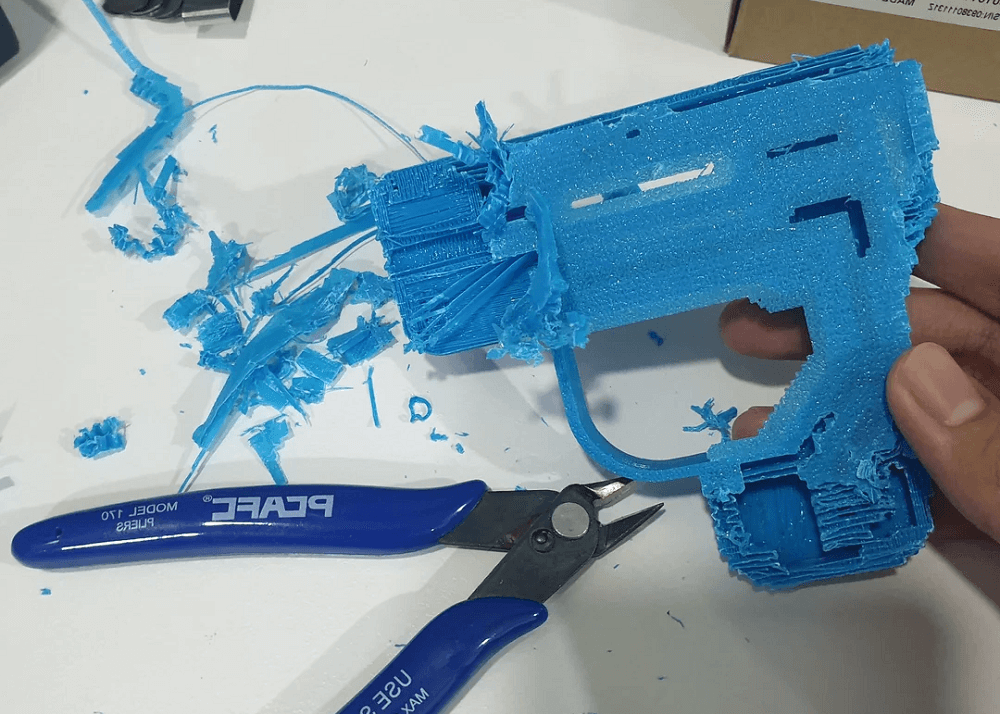
How to Remove Support In 3D Right Engineering for the Beautiful Face
Công nghệ in 3D đã mở ra khả năng tạo ra nhiều loại cấu trúc, từ đơn giản đến phức tạp. Tự do thiết kế mà nó mang lại thực sự rất ấn tượng. Tuy nhiên, dù mạnh mẽ đến đâu, máy in 3D vẫn có những giới hạn—đặc biệt là khi xử lý các góc vượt quá 45°. May mắn thay, bạn không cần phải tránh những thiết kế như vậy, nhờ vào các cấu trúc support (giá đỡ) được thiết kế специально.
The support structure in 3D printing allows users to create complex shapes and designs such as bridges, detail and overhang sections without problems. However, although useful, the removal of the support from the 3D print can be quite difficult. If you feel that the kind of support organic is difficult to untangle, then you're not the only one.
In this article, we will work together on methods, tools, notes, and practical tips to help you remove the effective support, making sure the print is both beautiful and retaining structural sustainability.
The support removal from the 3D print: Why does the print need support?
In 3D is a process of creating objects by stacking layers of materials. Due to the 3Dorphic printer or projecting material onto the previous layers themselves, each layer needed a support from the lower layer. When printing details such as bridge bridges, the part that expands overhangs or complex geometry by FMM and SLA technology, there is usually no layer below to play the support role.
That is why the propport is necessary to ensure that these sections are printed correctly and do not collapse or disfigure during the printing process.
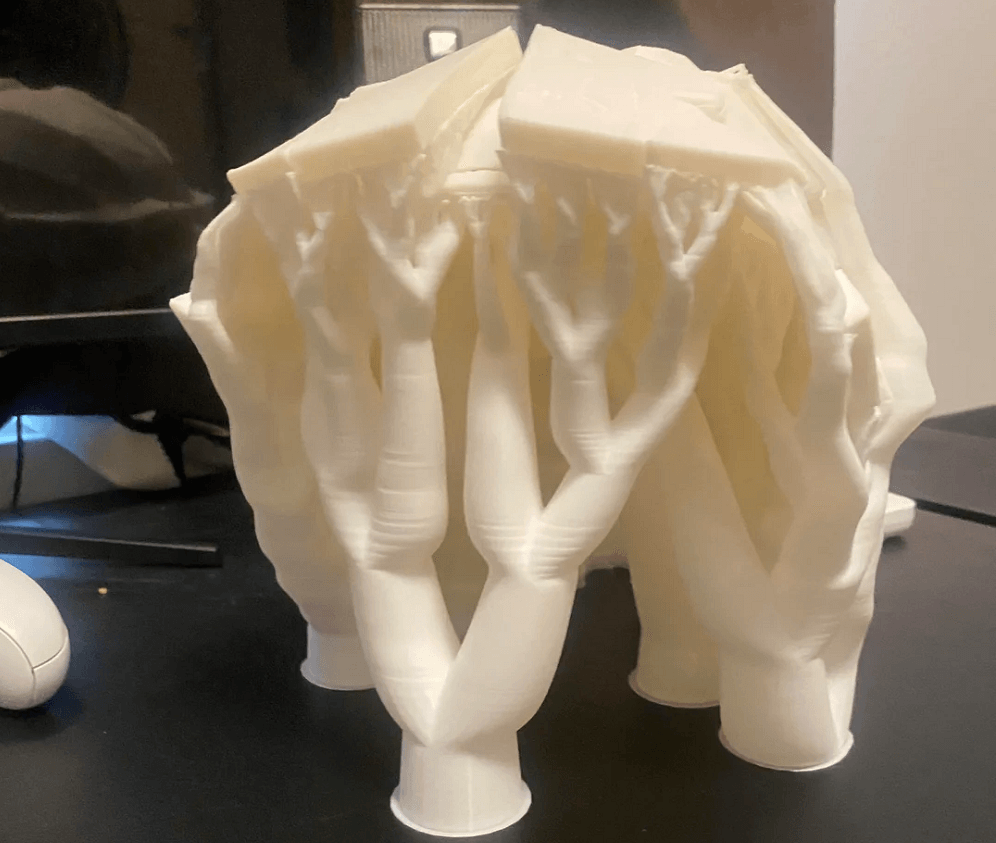
The gravitational impact on the structure can cause these thin and weak details to collapse or even collapse. Inside ppport in 3DWell, it's very important to understand the role of Sepport. Support price helps solve this problem by acting as a temporary structure, providing stability and preventing collapse during printing.
Also, the support helps to make the binder material better between the layers, from which the error limitation and the curved phenomena are curved. Put simply, in ppport in 3D, support chính là giải pháp hiệu quả nhất để bảo vệ các bản in phức tạp—đặc biệt là những thiết kế có chi tiết tinh xảo hoặc khoảng rỗng—khỏi nguy cơ bị hỏng hoặc biến dạng.
Support Types in 3D Printing
There are four main types of support in 3D printing: breakaway easy to break, soluble dissolved, tree-shaped and standard linear. When learning about ppport in 3Dyou can choose the proper treatment and limit the damage to the print surface.
Support is generally linear or stcard support is the traditional form, created directly below or around the model to ensure stability during the printing process. Compared to other categories, they often need to be refined to achieve better and also harder to remove, easier to leave tracks on the surface after removal.
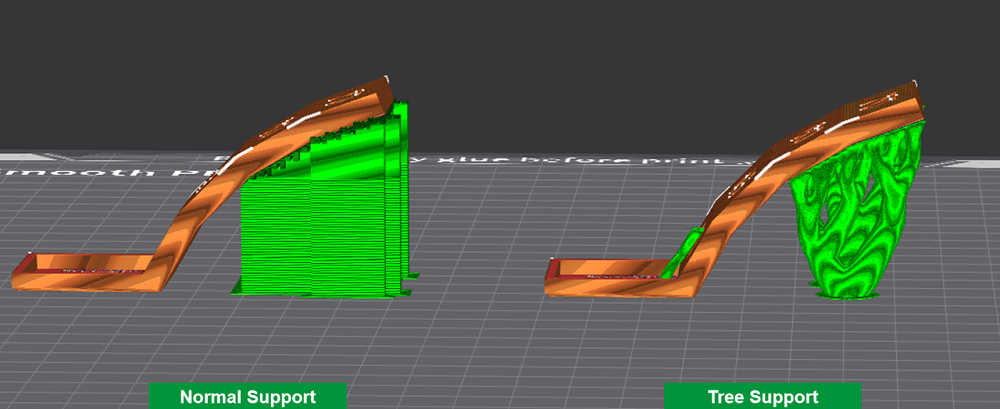
On the contrary, the tree-shaped tree-shaped tree-type tree-shaped tree-type tree-type tree has the ability to access hard-to-print areas and support models at various angles, from which helps the print to be cleaner and minimize surface errors. Each type of support has its own strengths and weaknesses to consider. The more detailed information about thetree Support and the differences compared to the usual support will be presented in the related content section.
Additionally, the selection and effectiveness of each kind of support depends on the installation in the slicer software as well as the adjustable parameters associated with the support.
Breakaway Supports Support easy to break
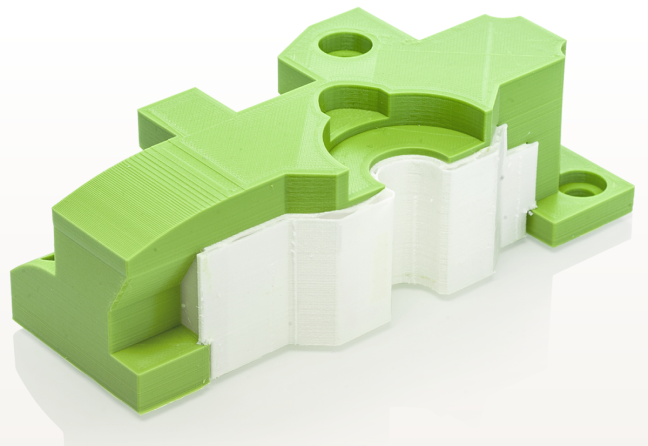
Breakaway support is designed to be easily removed, allowing users to remove by hand without shaving or merging. Inside ppport in 3DThis is the simplest and fastest kind of support.
They are usually printed in extruder or print head different from the main model and are compatible with materials such as PETG, ABS and PLA. Despite not melting in the water, breakaway support can easily break out or break out of the model, at the same time leaving very few flaws on the print surface.
Advantage
- There's no need for post-tag processing such as using solvent or water.
- Easy to remove manually
- Compatible materials such as PLA, PETG and ABS
Disabilities
- The use of force for removing should not be consistent with thin or complex details
- Not ideal for narrow areas, easy to leave plastic fibers when removing
- Can not get folder: %s: %s
Soluble Supports Support dissolved
True to the name, soluble support is the kind of support that can dissolve in the environment, most commonly water. Inside ppport in 3DThis, in turn, is the optimal solution because it does not require the use of force to remove, which helps to maximize the damage to the print.
Many users select this kind of support when printing complex designs with internal details, empty chambers or motion parts. Soluble support is often made of materials such as BVOH or PVA, bringing the surface of clean and low defects.
Advantage
- Fits when printing complex geometry, elaborate details or motion parts
- No manual removal, lower risk of damage to print
- The remaining support is easy to process and remove by regulations
Disabilities
- need infill thicker and slower print speed, leading to longer print time
- Filament dissolves like the PVA which easily jams the nozard due to the impromptu imperceptibility of fast under heat
- Costs are usually higher than breakaway sunport
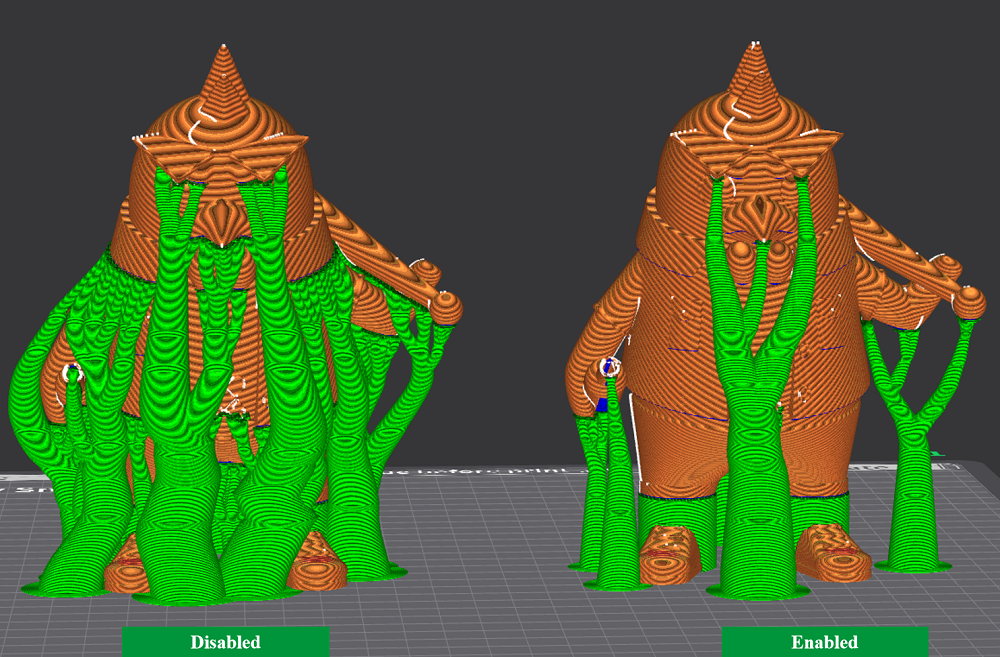
Tree Supports Support as tree
Tree support là dạng cấu trúc support phân nhánh, được thiết kế để nâng đỡ các phần overhang trong suốt quá trình in. Chúng có hình dạng giống như cành cây—đó cũng là lý do cho tên gọi này—giúp tối ưu khả năng nâng đỡ nhưng vẫn giảm diện tích tiếp xúc với mô hình. Trong ppport in 3DThis is the kind of support that is easier to handle than standard form.
Tree Support is often chosen when the print has multiple overhang or complex details. The thick stem creates high stability, while the fragmented branches help limit contact, from which it is easier to remove and less to leave marks on the surface. In addition, this method helps to save materials more than traditional support types, but still ensures the stability needed for print.
Advantage
- The thick shell helps create more stable platforms for overhang structures
- Few contact points should reduce risk of impact on the surface or leave traces
- It's easier to crack than a lot of other support.
Disabilities
- Can increase time processing slicing, leading to a longer print total
- It's not consistent with too complex geometry or narrow, deep areas.
- It can cause damage or leave marks on large and flat surfaces
Linear Supports Standard Support
Linear support provides maximum certainty and stability for the large, flat, steep or edged overhangs. They form contiguous cylinders, cling directly to the bottom of the model and touch the ground. Inside ppport in 3D, this type is usually selected when additional sustainability and flexibility is needed for the print.
Advantage
- Fits overhang flat, slope and angle
- Excellent support for high stability prints
- Simple design makes print time faster
Disabilities
- It's more difficult to untangle due to the thickness and area of major exposure.
- Could leave defects or spots on the surface
- Spend more filament when printing
When and why to support
In 3D with support organic is more than just picking the right kind of support for the project. Yes. when to remove the support can make a difference between a perfect print and a failed print. When you remove the support, you have two options: before or after the curing hardens the print.
- support removal before curing: It's easier because the support is soft, easy to break and flexible. This also helps to correct and clean the printed surface more convenient. To achieve optimum results, however, it is recommended to wait until the print has cooled and curring completely, helping to clean up and reduce the risk of damaging the model.
- Popport after curing: Appropriate for printed editions that are easily curved during the curing process. Support is stiffer, stronger, less likely to break the print when removed.
Elements to consider when deciding support removal:
- The complexity of the print: Complicated printings are easily damaged during removal, should wait until curring completely to protect the elaborate details.
- Print material: The type resin or filament also affects the dissemination process. Some materials are easily disfigured, so it is important to note when choosing the time of removal.
- Personal preferences: In the end, you have to decide how to get the support to fit the type of print and method that you feel is most convenient.
Considering the risks and the benefits of putting the sunport on the print too long will help you determine the right time to remove. Each print differs, so while some may be able to take it off before curing, others best wait completely hard. The goal is always to protect the model quality and ensure that the print is not damaged.
A useful tip to remove support in 3D printing
Below are some tips that make the support removal process easier and the clean, smoother print:
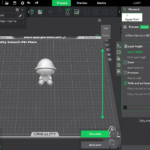
- optimum set of support in slicer: Adjust the distance, density, z ditera... before printing. Change of z ditjes can make support and smoother surfaces easier.
- Adjusting support contact point: Interface/contact point to easily separate from print.
- Use material that is friendly with support: PLA + PVA or ABS + HIPS combines the process of more convenient and cleaner removal.
- Use printer features: As the tree supports, the support distance in slicer to fine-adjusting optimum lift.
- Change type support if difficult to resolve: If the support is difficult to remove, adjust your printing settings or consider using subport to dissolve soluble.
- Physical support support: Use a heat gun, hot water for softening or the rotary tool spin to make it easier to cut.
- Less tracks on the surface: Well, you can either use a heat gun to handle the rest.
- Test for different slicer installations: Adjusting parameters relating to Support helps to find the best solution for each specific print.
The correct selection of the support for the 3D print ensures a fine result. Yes. ppport in 3D Not only protect the print from damage but also make the printing process more interesting. With a little trial, you will master the skill of support removal and significantly improved the quality of print.
DETSA Proud to bring 3D high quality print support service, solutions to many materials, intelligence, saving and easy to use. DETSA Imagine, create, and realise.