Filament Not Out Of No Grizzard: The Standard Way
Filament does not come out of noisy is one of the most common errors in using 3D printers, especially with FMD lines. This condition occurs when the machine is still functioning normally but the material is not out of print, causing the print to be interrupted or completely damaged. If the cause is not defined properly and handled in time, the error may affect the performance of the machine and quality of the product. In this article, we're going to look into the details of the cause and how to fix the filament error not out of the norm in the right technique.
Khi bạn nhấn nút “Print”, nhìn máy chạy đầy đủ các chuyển động, rồi vài phút—thậm chí vài giờ sau—mới nhận ra đầu phun đang “nhảy múa” trên bàn in mà không hề đùn ra sợi nhựa nào, thì rất dễ tự hỏi: “Tại sao filament của mình không ra khỏi đầu phun?”
When the 3D printer does not have plastic, the cause can come from simple errors such as setting up the wrong temperature, to problems such as the spraying switch or the filament jam. What's the good news? Most plastic errors are mechanical errors and can be overcome by following clear steps.
7 The Common Causes of the 3D Printers Distinguished
When a 3D printer does not do the trick, the problem often falls into one of several groups of causes. It is the first step to effective processing.
Spraying Head of the DesertThis is the most common cause for filament not to come out. Over time, burned plastic fragments, dirt, or micro-subscription can be stuck in the spraying head hole usually only about 0.4 mm. This often happens when:
- Fire-infested in the spray.
- Dust or compound slip into hotend
- Filament is heated but not printed for a long time
Blocked tip recognition signal:
- Motorsboro still spins but no plastic out.
- It's very low or not even before it's completely blocked.
- There's a sound coming from the set.
filament or heat Creep phenomenon
The filament trap occurs when the plastic is soft and trapped above the melting area of hotend. This is usually due to the heat creep heat phenomenon which spreads upwards that cause filament to be soft too soon. Common Causes include:
- Hotend cooling isn't enough.
- Install too big
- Print at temperatures too high
Sliping or trimming gear Extruder Gear Slipping or Grinding
If the motorfo still spins but the filament does not move, the plastic gear may be slipping. This can happen because:
- The pressure of the kimono is too loose
- The gear is worn out or stuck dirty
- Filament is honed into grinding
You can see the plastic dust or filament is suffering from oval at the gear position.
Anti-President Incorct Nodrömperature
Each material has a suitable range of melting temperatures. If the temperature is too low, filament will be too dense to pass through the spray. On the contrary, if the temperature is too high, the filament can be decomposed and the fire inside the spray head, causing a blockage. Examples:
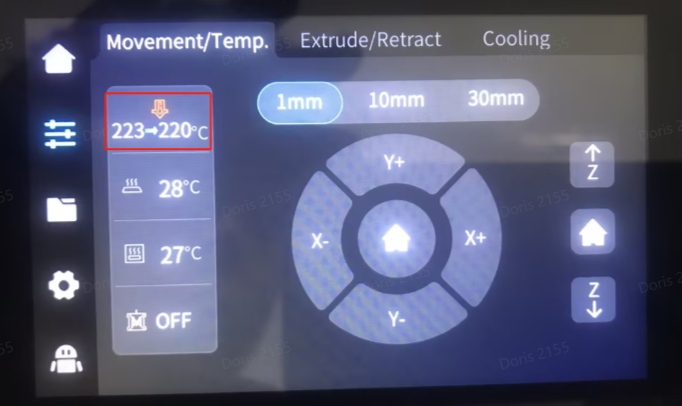
- PLA often printed at level 190220°C
- PETG often necessary 230250°C
- ABS often necessary 230260°C
The PTFE pipe is exposed or damaged to the Bowden machine
In Bowden-style printers, a white PTFE Teflon tube was tasked with leading filament to the tip of the spray. If the tube is not fully mounted to the back of the spray, it will appear a small leak. The melt will pour into this slot, cool it down and form the interceptor button, making it impossible to pass through. The identification mark includes:
- The plastic is unstable.
- Printed for a while and stopped.
- PTFE pipehead burned
The filament roll is confused or stuck
Sometimes the problem is not in the machine but in the filament roll. If the plastic on the roll is overlapd as the windover, it will squeeze and make it impossible to pull. You should check:
- The filament rings are overlapd
- Feeling tense, hard to pull when trying to pull filament by hand
Filament is wet.
Filament is hypergroscopic which absorbs moisture from the air. As moist filament enters the hot head, the water will vaporize into steam, creating internal pressure bubbles and making the flow unstable. This could cause:
- Bad plastic.
- Blocked part
- Filament becomes crisp, easily broken
The following is a quick referendum that helps you identify the problem:
| Symptom Sympathy | Possible Causes Likely Cause |
|---|---|
| Motors spin but not filament | Tip of spray or skater |
| There is a slatch from extruder | Blocked or blocked |
| Stop between print process | Heat Creep or the mixed filament scroll |
| Not in the first class. | The press table is too close or the spray head is blocked |
| Filament has dust or has amphetamine | Grizzled gear |