Support In 3D Difficult: Cause of Revival Revival for the Inditation 3D
In 3D FDD printing, the subport is an almost mandatory component when printing samples with large overhang, deep holes or internal details. However, one of the most common problems is that the sunport is too hard, very difficult, especially with the specimens or models having many little slots.
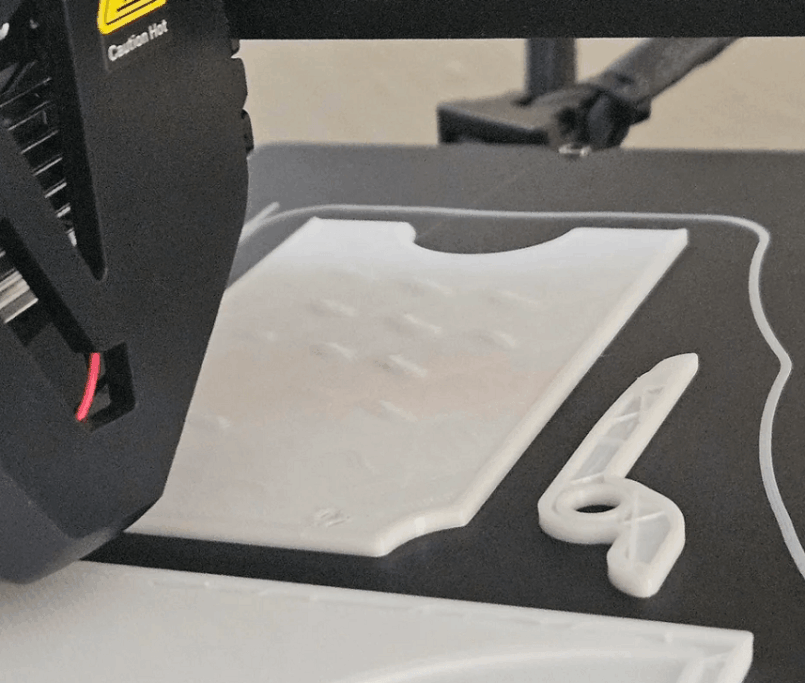
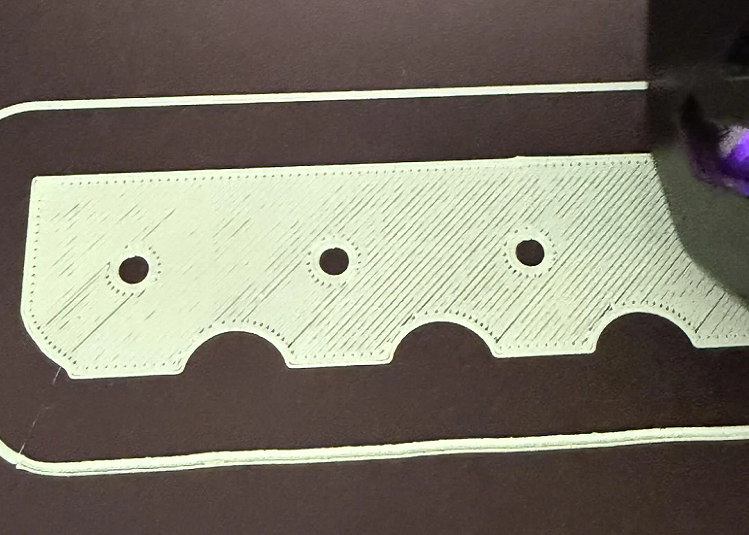
In the process of printing the statue, I was in exactly the same condition: the sepport was very strong, untapped, especially in narrow inner slots. After rechecking the printing settings, the cause of the misuse of profile 0.16 mm default, causing the Support to become a lot more buffalo than the actual need.
This article shares the right practical experience, focusing on one of the most important parameters that affect the ability to remove the support and the specific adjustment to easily dissolution without affecting the print sample quality.
1. Why is subport in 3D often difficult?
1.1 Support What and the Role of Support in 3D
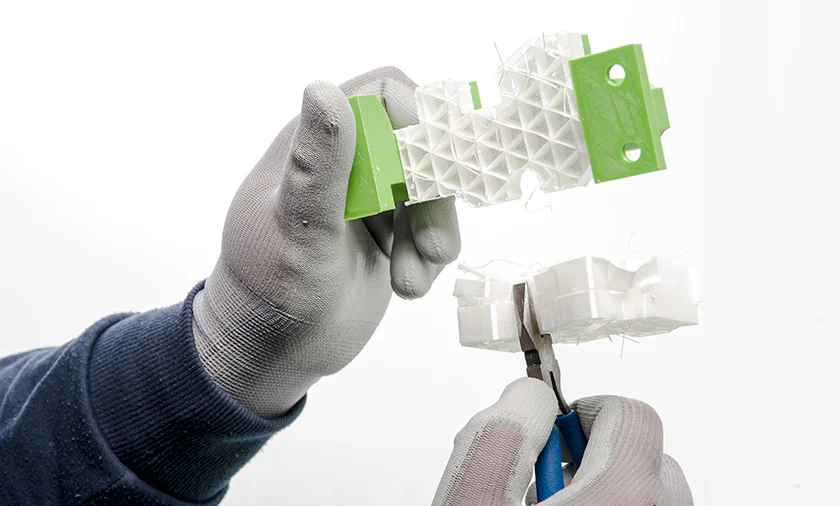
Support material support is the structures that are created in the slicing process to lift the protruding parts, overhang angles or suspended details of the model. If there were no support, the melting material would have no title points and would lead to collapses, or disfigured.
Support is especially important when:
Print icons, character model
In details there is a large overhang angle
Print deep slots, audio details
Print complex decoration models
However, Suppport should only be strong enough to catch the modelnot too hard to stick to the product.
1.2 Causes of Cows and Hard to Remove
There are a lot of factors that affect how easy or difficult it is, of which the most common is:
The default print Profile is not compatible with the model
Layer small height example 0.16 mm
Line width of support too large
High Support density
The contact distance is too small
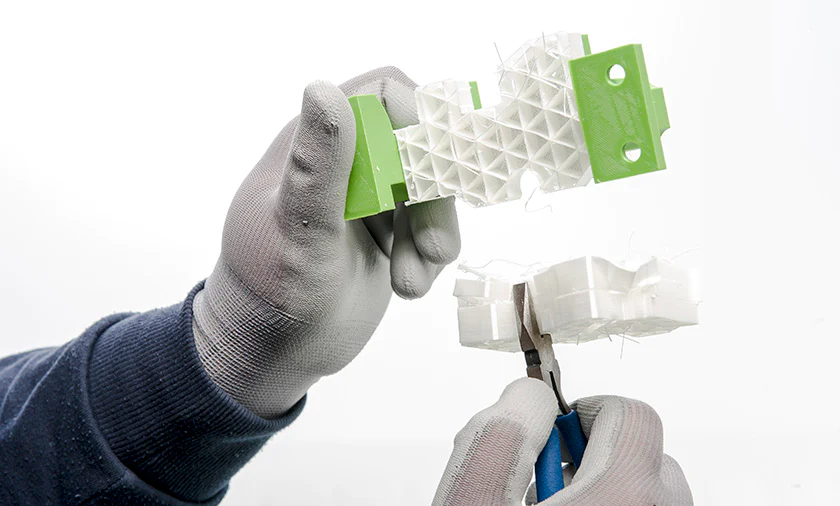
In case I do, The main cause is at profile 0.16 mm default, which is optimized for high surface quality. When using this profile without further refinement, The support is printed very thick and sureWhich leads to the state: Support clings to the inner city of the idol, which cannot be broken by hand, which can easily be broken with pliers, which break thin details
2. What effect does Profile 0.16 mm have on support?
What is 2,12 Profile 0.16 mm?
Profile 0.16 mm is typically used when needed:
Smooth surface
Sharp detail
Radical Layer
However, this profile also meant that the number of layered levels increased, the line thicker, and the support structures became much more sure than profile 0.0 mm or 0.28 mm
2.2 Why profile 0.16 mm makes the sunport difficult?
When the layer height is small: the support layers are closer together, the link between the subport and the stronger model surface, the sunport no longer boils to break. So if you combine with support line width default usually is 0.42 mmThe, the support would become a very hard, particularly dangerous block with: narrow slots, deep holes, details inside the statue
Three. Simple Solution: Less Support Line Width

After repeated tests, I realized don't need to adjust too many complicated parametersJust focus. support's print line thickness has improved dramatically.
3.1 Support Line Width is what?
Support Line Width is:
The width of each filament line when printing support
The parameters determine the size and hardness of the subport
The bigger the line width: the stronger the Support is and the harder it is. Remove
On the contrary, the small width line: the thin and easily broken, easily separated from the model
3.2 The default and common problem
In Cura, the subport line width is generally set: Default: 0.42 mm
With profile 0.16 mm, this parameter is too bigIt's hard, especially inside.
Four. Edit Support Line Width in Cura Details
In order to make it easier, I've adjusted the parameters as follows:
Path in Cura:
Quality OD Line Width (10) Support Line Width
4.1 The parameters we use
Support Line Width: from 0.42 mm (10.3535 mm)
Here's the number I've tested in real life and for very good results:
Support is much thinner.
Do not collapse support in print process
Remove it easily by hand or plier
4.2 Effects after editing
After reducing support line width:
Support becomes more fragile.
If you just flip it slightly, you're out.
No more scenes.
Reduce the risk of breaking thin details
Especially with the slots inside the statue, the difference is It's very clear..
Six. Note on Redport Line Width
Even if this is a simple tip, you still need to note some of the following:
Don't go too low in the first place.
So check with the small samples first.
With the high model, many overhang, need to make sure that the sunport is still strong enough.
Associated with support density rational to avoid the support collapse
To me, the 0.3535 mm is a good balance point between: the certainty when printing and the ease after eating
Seven. What are some situations in which this is applied?
Tips down support line width especially effective when:
Print decoration
Print character model
Details with deep slots, clogs
Print with profile 0.16 mm
Want to save time for support
Eight. Conclusion
Support is difficult to resolve not only due to printing or poor materials, but mostly from The settings are not suitable in slicerYeah. Just a small parameter like Support Line Width can also have a huge impact on the post-print experience.
From his practical experience, the reduction Support Line Width from 0.42 mm to 0.355 mm Helped:
Support is much easier.
Limited damage to details
Save Postprocessing Time
Raise the overall quality of 3D print product
This is one. Little trick but extremely worth trying, especially if you regularly print statues or complex models. DETSA Hopefully with this share will help you to avoid unnecessary problems in the 3D printing process.